
Foster a strong classroom community by effortlessly creating groups that promote deeper connections and collaboration.
Make groups based on custom attributes such as behavior or skill level.
For later use.
With a simple link that saves your groups.
Join easily with a class code.
Promotes active, shared learning.
Encourages stronger peer connections.
Boosts confidence and recognition.
Creates a secure, supportive environment.
The generator quickly processes your student attributes to create groups. You control whether similar qualities are combined or separated across the teams.
The generator can process different types of data, including:

Perfect for simple attributes like gender (male/female) or whether a student is in an after-school club.

Ideal for ranking students on a scale you create. For example, you can use a 1-4 scale for skill levels, behavior scores, or social groups. A "1" might be a high score, and a "4" a low one.

You can also use names or colors, such as "Reading Group A," "Math Group B," or "Red Group."
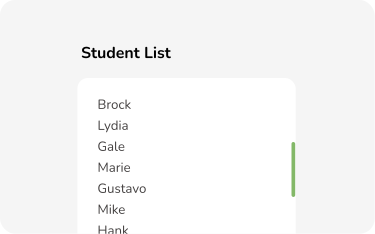
This is the fastest method. Simply grab a list of your students' names from a document and paste it directly into the text box when you create your new class. It's a quick, one-click solution.
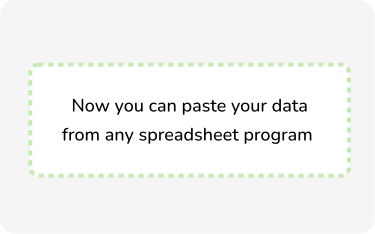
If you have your students' information in a program like Excel or Google Sheets, you can easily import it. Open your class section and start a new class. At the bottom, click the 'Paste your data from any spreadsheet Program' button.
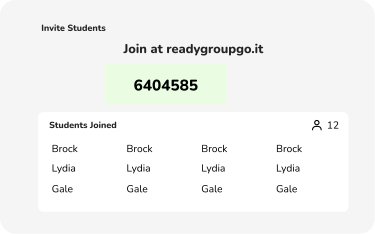
Looking for a truly hands-off approach? You can share a class code and QR code with your students and they can join the class on their own. This is a great way to empower students and save you a few extra minutes.

9th grade Science

I love ReadyGroupGo because it saves so much time, without sacrificing quality! It frees me from the headache of making seating charts, while still giving me options for different types of grouping strategies. So easy to set up and use!
IB TOK
Ready Group Go has elevated collaboration in my classroom by allowing me to easily diversify seating charts and group students based on their TOK skills and characteristics. The intuitive platform saves me time, enabling me to focus on meaningful interactions and creating dynamic, ever-changing learning experiences.
8th grade History
This grouping website is a total lifesaver! The design is so clean and fresh, and it's ridiculously easy to use. I can whip up groups in seconds, and my classes instantly feel more organized and fun. It's like having a little classroom superpower —everything just flows better!
9th grade Science
I love ReadyGroupGo because it saves so much time, without sacrificing quality! It frees me from the headache of making seating charts, while still giving me options for different types of grouping strategies. So easy to set up and use!
IB TOK
Ready Group Go has elevated collaboration in my classroom by allowing me to easily diversify seating charts and group students based on their TOK skills and characteristics. The intuitive platform saves me time, enabling me to focus on meaningful interactions and creating dynamic, ever-changing learning experiences.
8th grade History
This grouping website is a total lifesaver! The design is so clean and fresh, and it's ridiculously easy to use. I can whip up groups in seconds, and my classes instantly feel more organized and fun. It's like having a little classroom superpower —everything just flows better!
Hi, I'm Rob Stauffer. After 17 years teaching in diverse classrooms—from Washington State to international schools in Latin America—I learned that intentionally building a sense of belonging is the bedrock of a strong classroom community.
I found the most effective way to achieve that is through thoughtful grouping and strategic collaboration. But critical planning shouldn't cost you hours of prep time.
That's why I created Ready Group Go. Born from my own experience as a teacher solving my classroom needs, this free grouping generator's simple purpose is to help fellow educators save time while ensuring that every student feels seen and genuinely included.
My mission is to make Ready Group Go the best free grouping generator available. I'm actively developing it based on feedback from teachers like you. Please use it, share it, and reach out with your ideas—your input is what drives this project forward.